


Quick answer
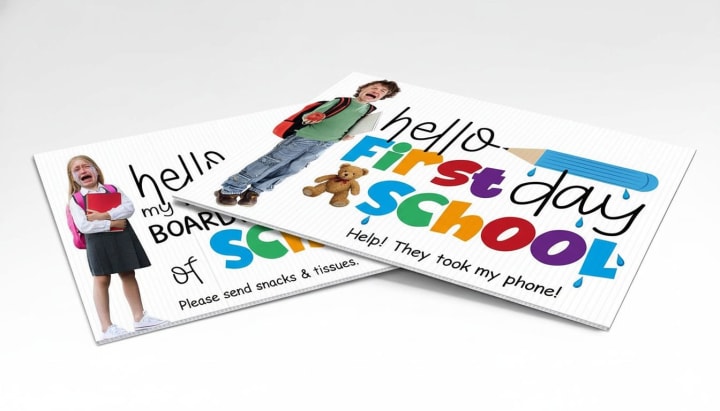
Direct answer: A personalized first day of school sign adds a name, grade or milestone to a photo. We can print a design around the details you want to include and the way the child will hold or stand beside it. If you plan to post the photo publicly, choose the personal details with that audience in mind.
Key takeaways
- If the photo may be posted publicly, remove unnecessary identifying fields before the design is approved.
- If the child and sign must both fit in a full-body frame, test a paper rectangle at the planned camera position.
- If yearly reuse matters, distinguish permanent wording from information that must change and ask which quoted construction supports that plan.
Specs & options
Specs
- Audience
- Private album, family sharing, public post, classroom, or event display
- Milestone
- Exact first-day, last-day, grade, year, or general school-event wording
- Personal details
- Only approved fields, with privacy-sensitive information deliberately included or omitted
- Photo plan
- Close-up, half-length, full-body, seated, group, or fixed display composition
- Layout
- Finished dimensions, orientation, primary heading, secondary fields, and required margins
- Reuse model
- Date-specific piece, separate companion piece, or changeable fields subject to quoted construction
- Production details
- Substrate, faces, edge treatment, surface finish, update method, and schedule confirmed in writing
Options
- Keep a public-sharing layout limited to the milestone and other details the responsible adult has approved.
- Create separately labeled artwork when a detailed private keepsake and a simpler public version are both needed.
- Reserve an update area only after the desired writing or replacement method is described and quoted.
- Request separate first-day and last-day layouts when the two messages need different emphasis or photographs.
- Treat shape, printed faces, corners, coating, substrate, and writable behavior as estimate-specific choices.
Need help preparing files? See Artwork Setup.
Good fit for
- A first-day portrait where the milestone and grade need to read clearly beside the student.
- A last-day photograph planned as a visual companion to the beginning-of-year image.
- A private keepsake with more detail than the version approved for public sharing.
- A classroom or school-group photo using general event wording instead of individual student information.
- A recurring home-school or learning milestone that needs a defined update method.
How it works
-
1) Set the audience boundary
Decide where the finished photograph may appear and list which names, school details, dates, and personal answers are approved for that audience.
-
2) Rehearse the photograph
Choose the intended crop and camera position, then hold a measured paper mockup so you can judge scale, orientation, hand placement, and available reading area.
-
3) Edit and label the message
Put the milestone first, trim secondary prompts, type every approved field, and give private, public, first-day, or last-day artwork distinct filenames.
-
4) Approve the quoted piece
Check spelling, privacy choices, dimensions, crop, contrast, quoted construction, update method, quantity, delivery plan, required date, and final file revision.
FAQ
What should a first day of school sign say?
Begin with the milestone, such as first day and grade or school year. Add only secondary details that serve the keepsake and remain legible in the planned photo. A favorite subject or future aspiration can be meaningful; a crowded form of tiny prompts usually weakens the main message.
Which personal details should I leave off a school photo sign?
Decide according to the intended audience. For a publicly shared image, a parent, guardian, or school may choose to omit a full name, school, teacher, classroom, location, schedule, or other identifying detail. Sactown Signco should receive the approved wording, not decide the family’s privacy boundary.
How do I make the school sign readable in a picture?
Give the milestone the strongest position, reduce the number of competing fields, and avoid making every line equally important. Test a paper mockup from the real camera position. If small text disappears in the test photo, shorten it or move it to a private caption rather than shrinking it further.
What size should a first day photo sign be?
Choose size from the composition instead of a stock assumption. A close-up portrait, seated pose, full-body porch picture, and group photograph leave different space for the sign. Send the planned crop and requested dimensions; the final size and material should be confirmed in the estimate.
Can I reuse a personalized school milestone sign each year?
Plan reuse by separating permanent content from fields that will change. Describe whether updates should be written, swapped, covered, or handled through new artwork. Then ask whether a quoted substrate and finish support that method; this page does not promise that every surface is erasable or reusable.
Can one sign cover both the first and last day of school?
It can be planned as two separate pieces, separately approved faces, or another quoted configuration. State both messages and how each will be photographed. Do not assume two-sided production; require the estimate and proof to identify every printed face and its orientation.
Can I add a student photo, school mascot, or logo?
Supply the original image or current artwork and confirm that you have permission to reproduce it. Identify the approved crop and color reference. A file type being accepted does not guarantee adequate detail at the requested size, so image suitability still needs review.
What do I send when I need the sign by a specific school date?
Provide the fixed photo or event date, quantity, requested dimensions, audience, exact copy, privacy approvals, current artwork, delivery destination, and unresolved options. Ask the response to confirm a feasible approval and production schedule; submitting a date is not itself a turnaround guarantee.
Make a privacy-conscious copy sheet
Write the milestone once, then place every optional field under one of three labels: approved for public sharing, private keepsake only, or omit. Record who made that decision and the date of approval.
- Public version: include only the details the responsible adult or organization has cleared for the intended audience.
- Private version: keep extra personal information in a separately named artwork file that cannot be confused with the public layout.
- Future update: identify changeable fields and verify that the quoted material and finish match the planned update method.
The Artwork Setup page explains how to keep message, dimensions, revision, and approval status together before using Start My Project.
Compare Sign Options
Need the complete project? Explore custom sign fabrication and Sacramento sign installation.